
A point of sale (POS) system is one of the most important tools in your business. Pick the right one and it saves you hours every week, stops stock disappearing and shows you exactly where your money goes. Pick the wrong one and you end up paying for software your staff avoid, while the real records live in a notebook again.
Most POS demos look good. The differences show up later, when the internet goes down on a Saturday, a supplier wants paying, or you need to know why profit fell last month. These 10 questions help you find those differences before you buy.
1. Does it work with M-Pesa properly?
In Kenya, most customers pay by M-Pesa. A POS that treats M-Pesa as an afterthought will cost you time and money.
Ask:
- Can it send a payment prompt (STK push) to the customer's phone, or confirm till payments automatically?
- Does every M-Pesa payment get attached to a specific sale?
- Can cashiers see confirmations on their own screen, or does everything go to the owner's phone?
If the answer is "the cashier checks the SMS", you'll still have fake messages and end-of-day gaps. We cover this in detail in how to accept M-Pesa payments without the reconciliation headache.
2. What happens when the internet goes down?
Power and internet interruptions are part of doing business in many parts of Kenya. Some cloud POS systems stop working entirely without a connection.
Ask the vendor to show you a sale being made offline, then show you that sale syncing once the connection is back. "It mostly works offline" isn't good enough. You need to know you can keep selling on your busiest day.
3. Can it track stock, not just sales?
A cash register records sales. A real POS also tracks what you have left. Check that the system:
- Reduces stock automatically with every sale
- Warns you when items run low, and suggests what to reorder
- Records deliveries from suppliers
- Supports stock takes, ideally blind counts where counters can't see expected quantities
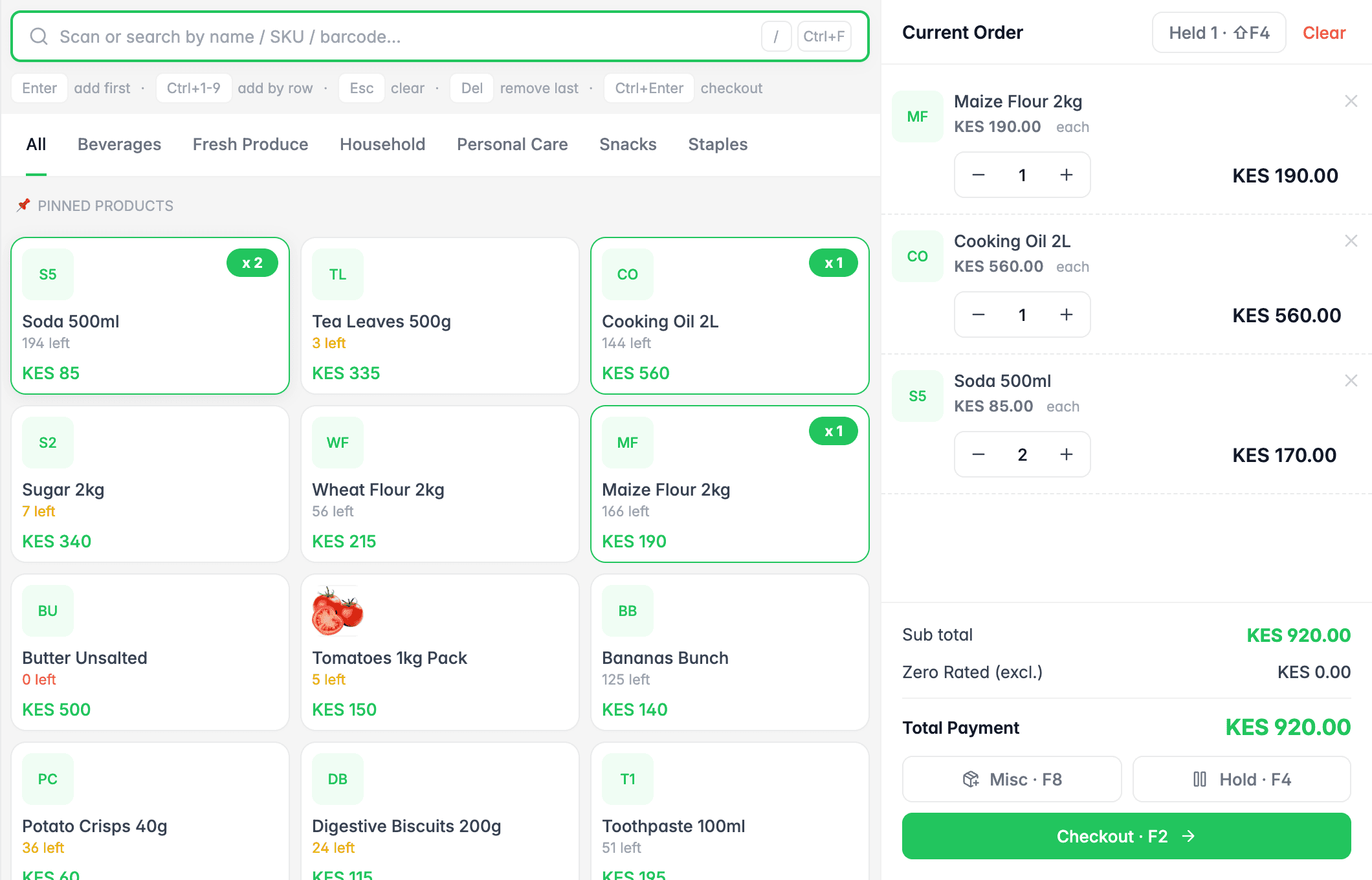
If stock control matters to you (and it should), read how to manage stock in a small shop without losing money for what good stock control looks like.
4. Will it show me profit, or only sales?
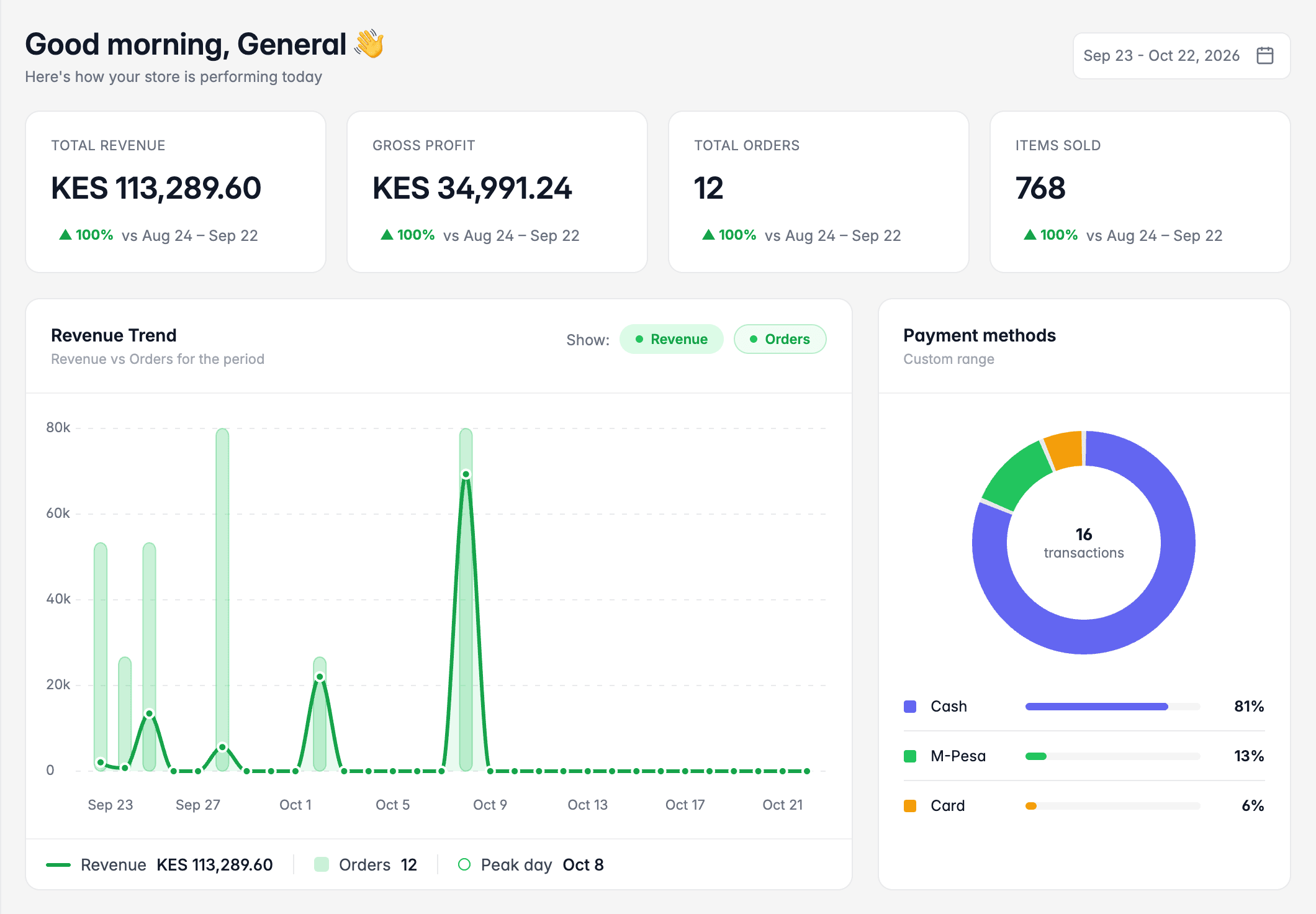
Many systems proudly show "Total sales today". That's useful, but sales aren't profit. Ask whether the reports show:
- Gross profit and margin, overall and per product
- Best sellers ranked by profit, not only by revenue
- Expenses, so you can see what's left after rent, salaries and bills
We explain why this matters in your shop is making sales, but are you actually making profit?
5. Can I control what each staff member can do?
Every cashier should have their own login. Beyond that, you want to decide who can give discounts, void sales, change prices or adjust stock. Ask to see the roles and permissions screen, and check that the system keeps a log of who did what.
6. Does it handle credit customers and supplier debts?
Kenyan shops run on relationships. Regular customers buy on credit, and suppliers give you 7, 14 or 30 days to pay. If your POS can't track either, you'll be back to a debt book.
Look for:
- Pay-later sales tied to a named customer, with due dates and overdue alerts
- Supplier bills, part payments and statements
See how to keep track of customers who buy on credit and how to manage supplier debts and payments.
7. What does it really cost?
Ask for the total cost over a year, not just the monthly price:
- Subscription or licence fees
- Hardware (tablet or computer, receipt printer, barcode scanner, cash drawer)
- Setup, training and data migration fees
- Extra charges for more tills, branches, products or users
- M-Pesa or card transaction fees
We break all of this down in how much does a POS system cost in Kenya?
8. How hard is it to get my products in?
If you have 300 products, typing them in one by one is a weekend gone. Ask whether you can import your product list from a spreadsheet (CSV or Excel), including prices, categories and opening stock. If you already keep records in Excel, Excel vs POS software explains what changes when you switch.
9. Can it grow with me?
You might have one shop today. Will the system support a second branch, more tills, transfers between stores, and combined reports? Moving to a new POS later means retraining staff and moving data, so it's worth choosing something with room to grow.
10. What support do I get, and how fast?
When something breaks at 7 pm on a Friday, how do you get help? Ask:
- Which channels they offer (phone, WhatsApp, email)
- Their response times, and whether support is local
- Whether training is included for your staff
Ask for references from businesses like yours, and call one of them.
A quick checklist
Print this and take it to every demo:
- M-Pesa payments confirmed automatically and linked to sales
- Keeps selling offline, then syncs
- Stock tracking, low-stock alerts, stock takes
- Gross profit and margin reports
- Separate staff logins and permissions
- Credit customers and supplier bills
- Clear total cost for the year
- Product import from a spreadsheet
- Supports more tills and branches later
- Fast, local support
The bottom line
The best POS system is the one your team actually uses every day, and that gives you numbers you trust. Use these questions to look past the demo, and don't be shy about asking a vendor to prove each answer on screen.