
In a small shop, stock is your money. Every carton on the shelf is cash you've already spent. When stock goes missing, expires, or sits unsold for months, that cash is gone just as surely as if it fell out of the till.
The good news: you don't need a warehouse system to manage stock well. You need a few simple habits, done consistently. This guide covers them.
The three ways shops lose money on stock
Before fixing anything, it helps to know where money leaks out:
- Running out. A customer asks for cooking oil, you have none, and they buy it, along with everything else on their list, from the shop next door.
- Overstocking. You buy 20 cartons because the price was good, and 12 are still there three months later. That cash could have paid rent or bought fast-moving items.
- Shrinkage. Stock disappears through theft, breakage, expiry, or sales that were never recorded.
Good stock management tackles all three at once.
1. Know exactly what you have
You can't manage what you can't see. The foundation of stock control is a record of every product, its price, its cost, and how many you have, updated with every sale and every delivery.
A notebook or spreadsheet can work for a very small shop, but it depends on someone updating it every time. Most shops find the numbers drift within weeks. A POS system updates stock automatically when you sell, so the record stays accurate without extra work. (We compare the two in Excel vs POS software.)

2. Set a reorder point for every product
A reorder point is the stock level that tells you it's time to buy more. Set it high enough that new stock arrives before you run out.
A simple way to work it out:
Reorder point = average daily sales × days your supplier takes to deliver + a small safety buffer
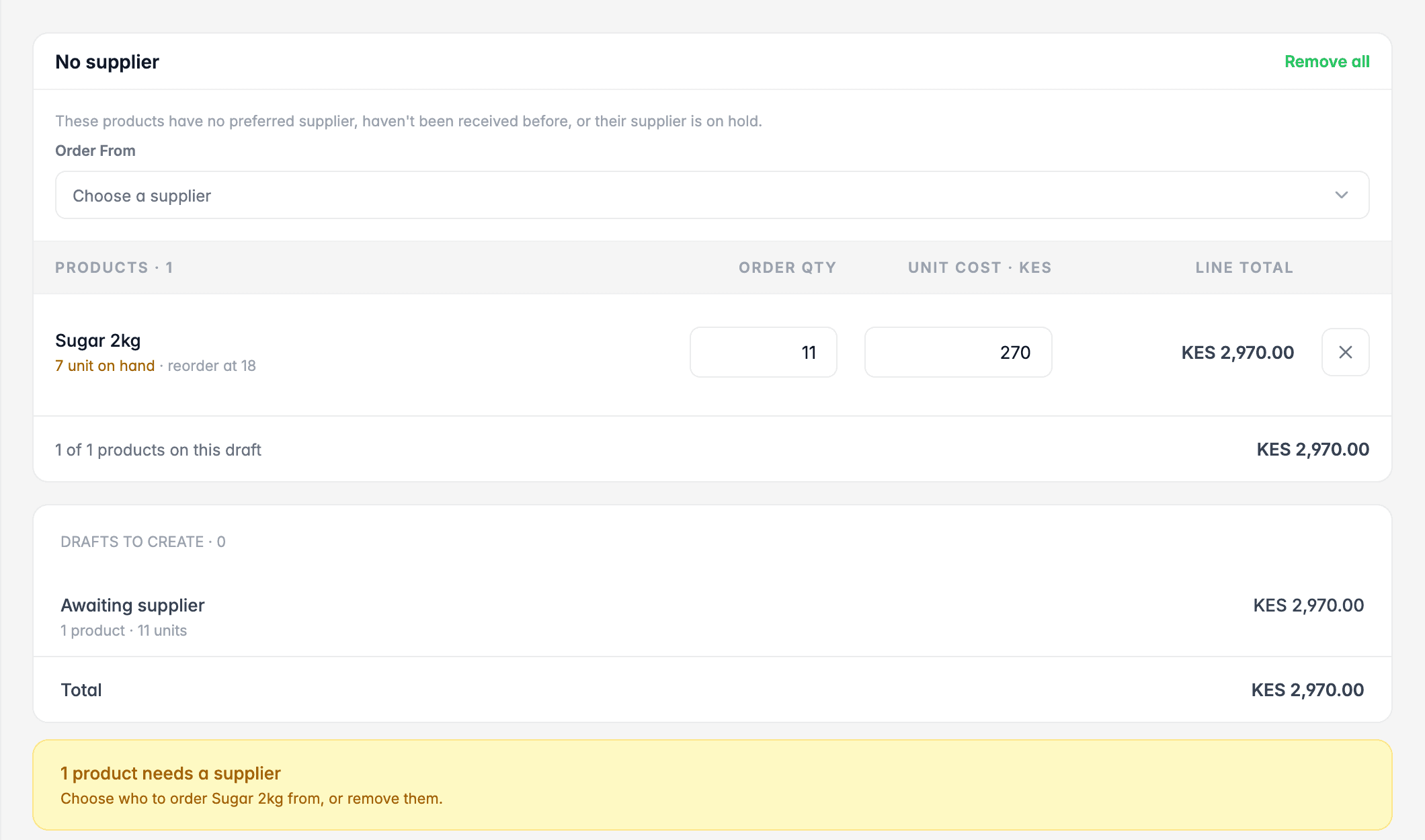
For example, if you sell 6 packets of sugar a day, your supplier delivers in 2 days, and you want a 1-day buffer: 6 × (2 + 1) = 18 packets. When stock drops to 18, reorder.
Once reorder points are set, a POS can do the watching for you and list everything that needs ordering.
3. Buy based on what sells, not on gut feeling
Look at your sales records before every order. Ask:
- What are my top sellers? Never let these run out.
- What hasn't sold in 30 days? Don't reorder it until it moves. Consider a discount to turn it back into cash.
- What sells seasonally? School supplies in January, more drinks in the hot months, more flour before holidays.
Ordering little and often costs a bit more in transport, but it keeps cash free and reduces expiry losses. For most small shops, it's the better trade.
4. Receive deliveries properly
A surprising amount of "missing" stock never arrived in the first place. When a delivery comes in:
- Count everything against the delivery note before the driver leaves.
- Check expiry dates and refuse short-dated goods unless you agreed to them.
- Record the delivery straight away, with the cost price, so your stock and profit figures stay right.
- Keep the supplier's invoice and match it to what you received before you pay.
That last step also protects you from overpaying suppliers. See how to manage supplier debts and payments for a simple process.
5. Fight expiry: first expiry, first out
For anything with a date (dairy, bread, snacks, medicines, cosmetics), put new stock behind old stock so the oldest sells first. Check dates weekly and move items close to expiry to the front, or discount them before they become a total loss.
If you track batches and expiry dates, your POS can warn you about stock that's about to expire, before it's too late to sell.
6. Count regularly, and count blind
Even with perfect habits, records drift. Regular stock takes catch problems early:
- Count high-value and high-theft items weekly.
- Count fast movers every few weeks.
- Do a full count at least once a year.
Make counts blind, meaning the person counting doesn't see what the system expects. Our stock taking guide walks through it step by step.
7. Watch your numbers every month
A few figures tell you whether your stock management is working:
- Stock value at cost: how much cash is sitting on your shelves
- Low-stock and out-of-stock items: whether you're running out of things people want
- Shrinkage: the value of stock lost to expiry, damage or unexplained gaps
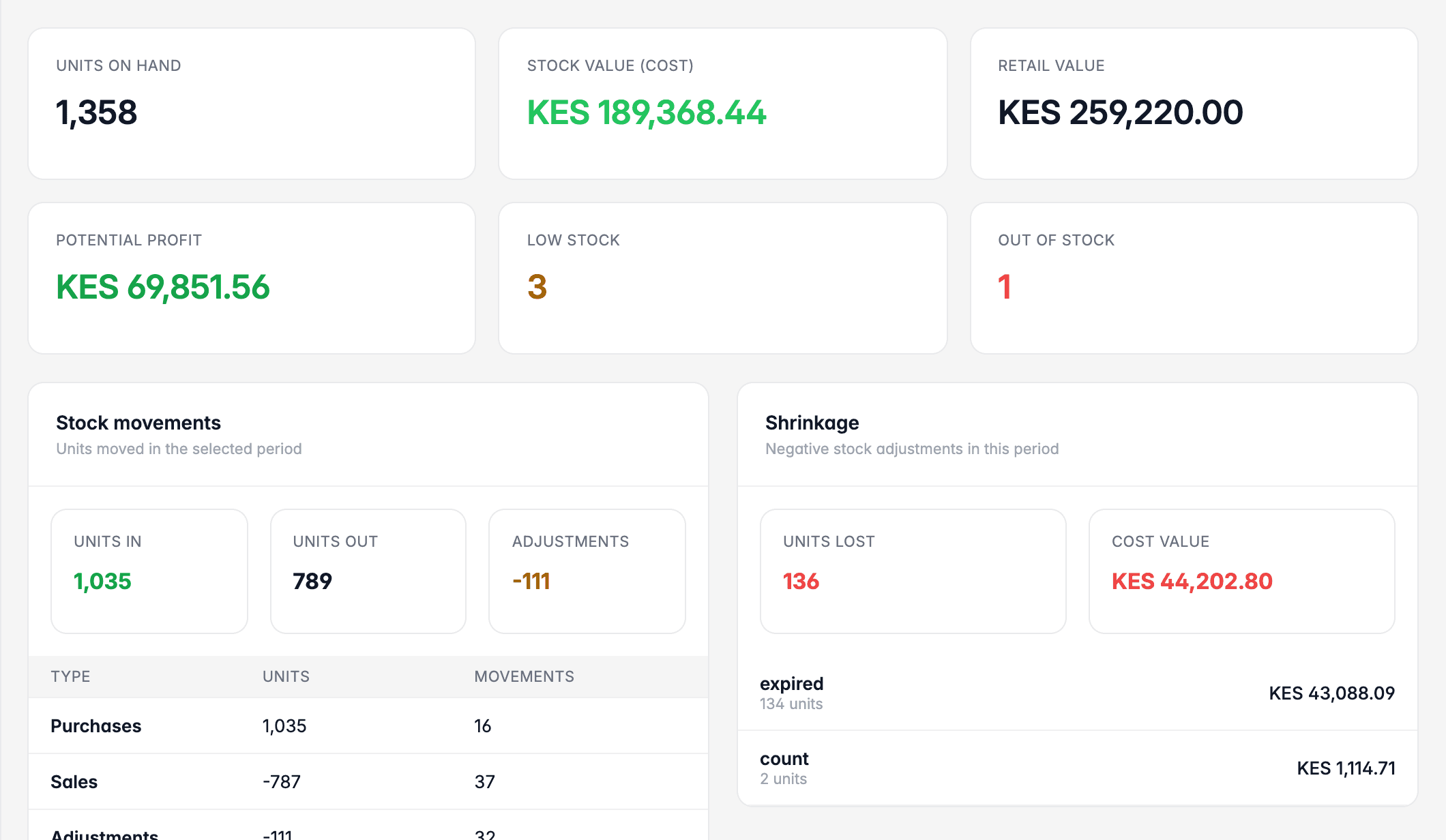
If shrinkage keeps rising, find the cause before you spend more on stock. Is it expiry, theft, or receiving mistakes?
A simple weekly routine
| Day | Task |
|---|---|
| Monday | Review low-stock list and place orders |
| On delivery | Count, check dates, record the delivery |
| Wednesday | Spot-check 5–10 high-value items |
| Friday | Check expiry dates, discount anything close |
| Month end | Review stock value, slow movers and shrinkage |
The bottom line
Managing stock well isn't about complicated systems. It's about knowing what you have, buying what sells, receiving carefully, and counting regularly. Do those four things and you'll run out less, waste less, and have more cash in the business.
Running a minimart? Stock is one part of the picture. See our practical guide to managing a minimart in Kenya.